



Spinsahara Casino Application
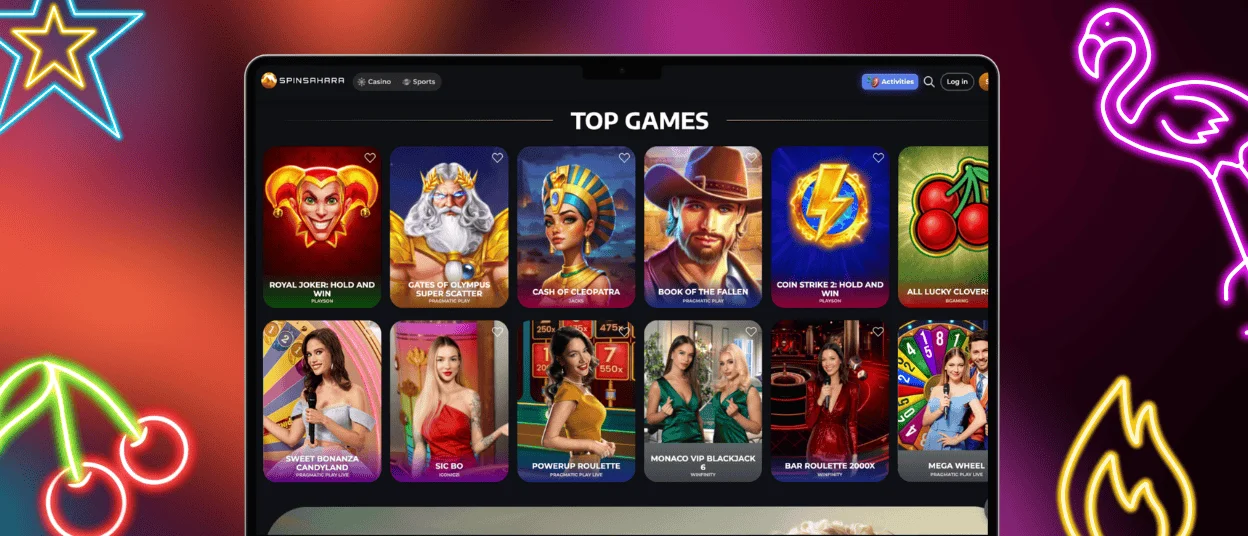
The Spinsahara app is easy-to-use mobile software that allows you to enjoy seamless casino gaming anytime and anywhere. Our mobile and desktop casino offers thousands of online slots and other casino games. You can also enjoy live dealer games with your friends.
Fast and stable transactions are an instant game changer. It doesn’t matter if you have an Android, iOS, Windows, or Mac device. The Spinsahara app delivers uninterrupted gameplay, efficient navigation, and total account management, wherever you are.



Take Spinsahara Casino with You
The Spinsahara app brings the flexibility and performance of a mobile casino to your hand. Although the PC version is set up for a more traditional casino experience, the mobile app is optimized for speed, accessibility and gaming convenience on the go. Here’s a clear comparison of how the Spin Sahara mobile app stacks up against the PC version:
| Feature | App | PC Version |
| Performance | Improved for quick access and improved performance on mobile networks. Uses less data without losing quality. | Varies with internet speed and system specs. Stable performance is available but might require higher bandwidth. |
| Accessibility | With the app, all games, cash deposits, and withdrawals are accessible instantly, anywhere, at any time. | Less portable, as it requires a computer and a stable internet connection. |
| User Interface | Made especially for touch screens, which are easier to use and allow for rapid menu adjustments. | Provides an even larger screen with more intricate designs and pictures. |
| Convenience | Every element, including gaming, payments, and support, is consolidated into one compact platform. | This is perfect for longer gaming sessions and multitasking on a larger display. |
| Notifications | Receive alerts whenever bonuses, promotions, and updates to your account are available. | There are no automatic push notifications. Players need to check these accounts manually. |
| Graphics and Display | Responsive for smaller screens and slightly less detail is fine. Smooth animations on small-screen devices are animated. | Higher resolution and full graphical detail on larger monitors. |
| Data Usage | It is efficient, and mobile connections are thoughtfully made to use less data. | When gaming and streaming on a larger screen, the game data flows to render graphics appropriately for that size. |
The Spinsahara app allows you to play your favorite casino games anywhere. With its efficient performance, secured access, and real-time information, this app is a must for mobile gaming.
Download Android App
The Android version of Spinsahara Casino offers the same quality experience as the desktop version. You can get a secure, fast, and frequently updated progressive web app for Android without uploading any unknown Spinsahara APK files. To have Spin Sahara on your Android, follow the instructions below:
- Open your mobile browser and go to the official site.
- Navigate to the footer of the website at the end of the screen.
- Click the “Casino App” button and the installation will start automatically.
- Open the app, log in, and now you can start playing.
Remember always to install the mobile casino from the official site to keep your private data safe. If you encounter any problems with the installation or the app in general, you can always contact our support team via live chat or email.

Spinsahara iOS Application
We didn’t forget about all our players with iPhones and iPads. You get access to all available functions, including games, bonuses, tournaments, withdrawals after the verification process, customer service, and much more. Here’s how to get the Spinsahara Casino to your iOS home screen:
- Open Safari on your Apple device.
- Go to the official website.
- Tap the Share icon (located at the bottom of the screen).
- Scroll down and choose “Add to Home Screen”.
- Tap “Add” to confirm.
After this, the Spin Sahara app icon will show on your home screen, just like a native app. You can tap it at any time to launch the full gaming experience.

Windows And Mac App for Spin Sahara Casino
The games you love playing the most are now more accessible than ever with Spinsahara. Enjoy speedy withdrawal times, gamified bonus allocations, instant access to bonuses, and unlimited gameplay during thrilling tournaments. All your attractions are simpler and more efficient at Spinsahara.
Steps to install Spinsahara on your Windows or Mac:
- Open any preferred browser on your PC.
- Access the official website.
- In the settings of your browser, find an option “Add to Home Screen”.
- Confirm the actions and then the casino icon will appear on your home screen.
Once the installation is complete, the Spinsahara app will be available on your desktop or start menu for one-click opening. You can pin the app to your taskbar for even easier access to your most-played games.
FAQ
On Which Devices Can I Download the Spinsahara Casino App?
The Spinsahara app is compatible with various devices and operating systems. It can be downloaded on Android and iOS phones and tablets, regardless of the version. Besides that, you can use it on Windows and macOS computers. Every version gives limitless access to the app and live casino games.
How Do I Download and Install the App on My iPhone or iPad?
To get the Spinsahara Casino app for your iPhone or iPad, open Safari and visit the official website. After the website opens, select the Share button at the bottom of your screen, scroll down, and select “Add to Home Screen”. You will now be able to see the shortcut icon on your home screen and access the casino at any time as if it were a native app.
Can I Download the App Directly From the Spin Sahara Website?
The mobile software is available on the official website. Follow the available guide for secure installation on your device. After completing the process, all games, the live casino, and account management features will be available for you, allowing you to start playing in just a few minutes.


